
GTA Technology Topics, Tips & Tricks: Google Advanced Search and Other Tips

GTA Technology Topics, Tips & Tricks: Password Protection!
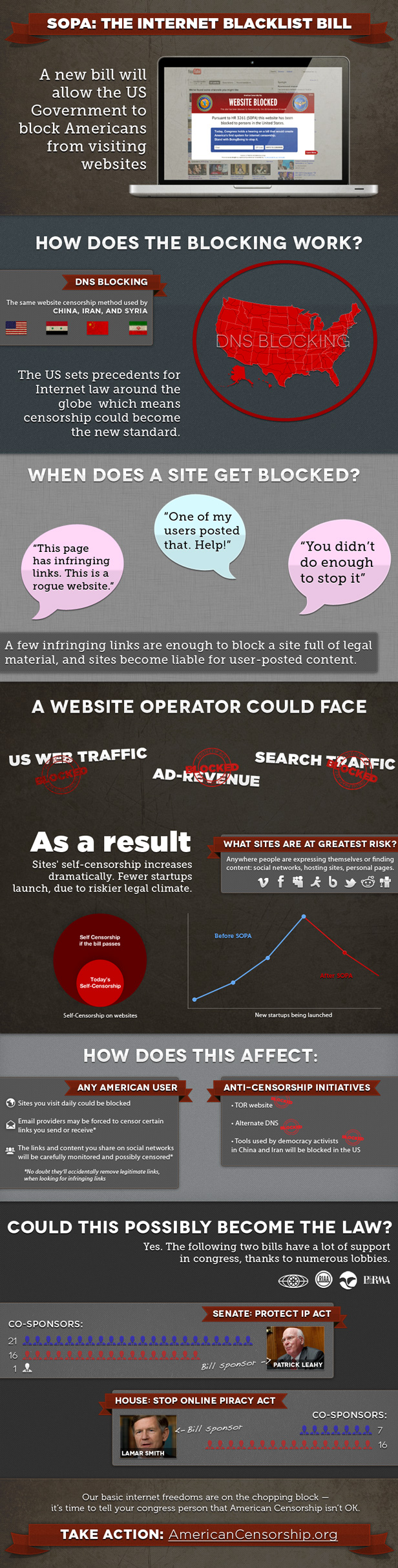
GTA Technology Topics, Tips & Tricks: U.S. SOPA & Protect IP Acts – Censorship of the Internet
The Atlas of New Librarianship
When I first started the Masters of Library and Information Studies program at the University of Alberta, I quickly realized I was the only student in my program interested in working with Information Technology in areas such as Technical Services, Digital Initiatives, Web Resources or Database Development. Of course there is the MLIS combined HUCO (Humanities Computing) program but these students only take one or two MLIS courses per year and the program has a more conceptual and sociological approach, which is “not my thing.”
In the information I am exposed to every day through following innumerable blogs in Google Reader, I have come across some good resources for MLIS candidates interested in alternative librarianship careers. Here is an informative resource defining a mission statement for new librarianship and the fields of study in the space.
The Atlas of New Librarianship
http://www.newlibrarianship.org/wordpress/
GTA Tips & Tricks: PowerPoint Presentations & Wondershare – Embedding YouTube Videos versus Inserting as Files
GTA Technology Tips & Tricks: Gliffy
GTA Technology Tips & Tricks: U of A Microstore/Adobe Products
GTA Technology Tips & Tricks: Commentary on Intellectual Freedom and the Amazon and Overdrive Deal with Libraries
GTA Technology Tips & Tricks: Why to Use a RSS Feed Reader?
We all have busy, busy lives. Sometimes its hard to keep up to date with current news and events, posts on your favourite blog or website, and bits of information that maybe useful to you sometime in the future. Those who know me, know that I have this obsession with technology…but the thing about technology is that it changes so rapidly…so how do I “stay in the know” about what’s going on in the world (and seem smarter than I really am)? I use a RSS (Really Simple Syndication) feed aggregator. My one stop shop for everything I care to know about that gets posted on the Internet.
- Facebook Pages such as SLIS Social at the University of Alberta and Banana Republic to stay up to date with event announcements. (Hint: Look for the “Get Updates via RSS” link on any Facebook Page.) feed://www.facebook.com/feeds/page.php?id=202217855995&format=rss20
- A plethora of favourite author and blogging websites to keep up to date about books, book reviews and issues in bloglandia.
- LIS Blogs such as iLibrarian and Library Journal RSS Feeds on new book releases. http://www.libraryjournal.com/csp/cms/sites/LJ/info/rss.csp
- News feeds from content providers such as Huffington Post, Entertainment Weekly, Gizmodo, Lifehacker and Mashable, etc.
- The FLA Jobline blog to keep up to date with LIS jobs in Western Canada. http://jobline.fla.org/
- I subscribed to ~25 Cataloging blogs when I was taking LIS 532 Cataloging & Classification to gain a better understanding of this area of study and tosupport individual and group assignments.
- NPR (National Public Radio) for current events and book reviews. http://www.npr.org/rss/
- Conference proceedings.
- Study Hacks for study tips when I was in my first year of the MLIS program. http://calnewport.com/blog/

