Amazon has quietly launched its own direct challenger to Pinterest with the debut of a feature called “Amazon Collections.”
via Amazon Experiments With Its Own Take On Pinterest Called “Amazon Collections” | TechCrunch.
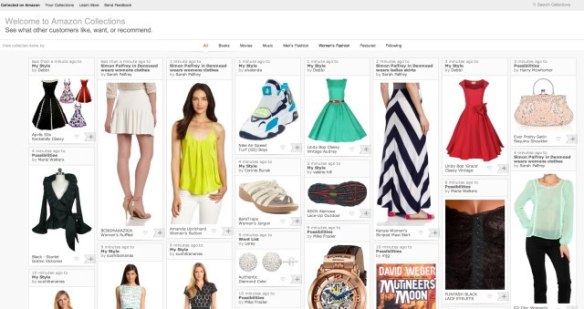

Amazon has quietly launched its own direct challenger to Pinterest with the debut of a feature called “Amazon Collections.”
via Amazon Experiments With Its Own Take On Pinterest Called “Amazon Collections” | TechCrunch.
Quotable: “Flexible and curved screens open up all kinds of interesting design opportunities. Imagine a screen wrapped around a telephone pole, on the outside of a water bottle, or even as a tablecloth, or one covering the seat of a chair. The possibilities are endless.”
via Flexible Screen Displays: The How, When, And Why | Information Space.
14 Pinterest Doppelgängers for Visual Inspiration | Mashable
The article reviews:
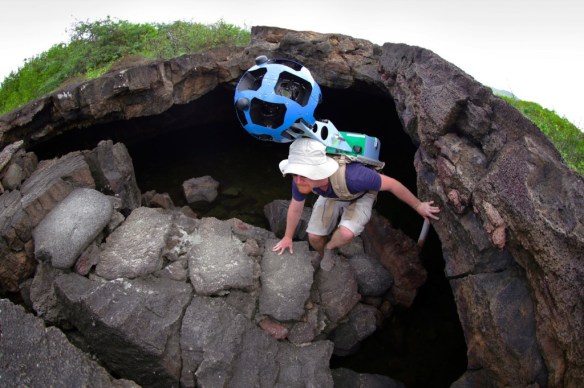
Google today announced that it has been taking its Street View Trekker – the compact backpack version of its Street View cars – and its underwater Street View cameras to the Galapagos Islands and that it plans to make these images available on Google Maps later this year. The company worked together with the Charles Darwin Foundation, the Galapagos National Parks Directorate and, for the underwater survey, the Catlin Seaview Survey.
via Google Takes Street View Trekker And Underwater Cameras To The Galapagos Islands | Tech Crunch

GTA Technology Tips & Tricks are an email series sent to the Masters of Library and Information Studies (MLIS) students at the School of Library and Information Studies at the University of Alberta.
Here is a simple procedure to follow to be able to insert inline images into your gmail messages. I found this information at About.com (http://email.about.com/od/gmailtips/qt/et_inline_image.htm)
Enable Image Insertion in Gmail
To turn on Gmail’s Insert Image button Follow the Mail Settings link in Gmail. Click on the “gear” icon top-right corner of the screen. Go to the Labs tab. Scroll down to the Inserting Images lab and choose Enable. Click Save Changes.

When you create an email now there will be a picture icon (Insert Image) in the menu above the text edit box if you are using Rich Text for the text editor rather than plain text.
You can drag and drop from a saved image file on your computer (e.g. jpg, png, gif), or you can upload a file by clicking on the icon. You cannot drag and drop from a website – instead you would need to enter the image’s URL after clicking on the Insert Image icon and choosing the “Web address (URL)” option.
 infophile