7 Responsive Design Tips to Revamp Your Workflow | Mashable


7 Responsive Design Tips to Revamp Your Workflow | Mashable

Tips discussed include:

  1. Mobile First
  2. Content Strategy
  3. Sketch and Prototype
  4. Frameworks
  5. Breakpoints
  6. Scalable Images
  7. Minification

There is a bonus highlighting 20 Stunning Responsive WordPress Themes.

23 Mobile Things: Join the Australian / New Zealand Course « Tame The Web


23 Mobile Things: Join the Australian / New Zealand Course « Tame The Web

Excerpt below from Tame the Web | http://tametheweb.com/2013/05/01/23-mobile-things-join-the-australian-new-zealand-course/

What are the 23 Mobile Things?

  1. Twitter
  2. Taking a photo with a mobile device:  Instagram / Flickr app / Snapchat
  3. eMail on the move
  4. Maps and checking in: Foursquare
  5. Photos + Maps + Apps: Historypin / What was there / Sepia Town
  6. Video: YouTube and screencasts
  7. Communicate: Skype / Google Hangout
  8. Calendar
  9. QR codes
  10. Social reading: RSS / Flipboard / Feedly / Goodreads / Pocket
  11. Augmented reality: Layar
  12. Games: Angry Birds / Wordfeud
  13. Online identity: FaceBook and LinkedIn
  14. Curating: Pinterest / Scoop.it / Tumblr
  15. Adobe ID
  16. eBooks and eBook apps: Project Gutenberg / Kindle / Overdrive / Bluefire / Kobo, etc.
  17. Evernote and Zotero
  18. Productivity tools: Doodle / Remember the Milk / Hackpad / any.do /  30/30
  19. File sharing: Dropbox
  20. Music: last.fm / Spotify
  21. Voice interaction and recording
  22. eResources vendor apps
  23. Digital storytelling

You can view the 23 Mobile Things on the official blog here –http://23mobilethings.net/wpress/the-things/

What is this NZ/Australian cohort all about?
simple; it is just establishing a group of librarians in NZ and Australia who are keen to do the 23 Mobile Things at the same time. This cohort will give us mutual support and contact with each other so that we can learn together and keep each other motivated. Hopefully it will help you grow your own personal learning network (PLN) and have fun and great collaborations throughout the course!

Know your users: Web analytics tools | TechRepublic


One of the best ways to gauge your website’s effectiveness, performance, and customer satisfaction can be found right inside the measurements that analytics reveal:

  • the number of interactions
  • page views
  • where visitors are coming from to get to your sites
  • where they go once they reach your site.

via Know your users: Web analytics tools | TechRepublic. The article reviews Google Analytics and Crazy Egg.

Also recommended is Andrew Maier’s Complete Beginner’s Guide to Analytics. It is a few years old though.

Google Will Soon Launch Google Web Designer, A Free HTML5 Development Tool For Creating Web Apps, Sites And Ads | TechCrunch


Google will soon launch Google Web Designer, an HTML5 development tool for “creative professionals.” The service, Google says, will launching within “the coming months” and is meant to “empower creative professionals to create cutting-edge advertising as well as engaging web content like sites and applications – for free.”

Google’s only service for creating websites right now is Google Sites, which allows you to easily create basic sites and wikis from pre-built templates. That product has lingered without any meaningful updates for a while now, so maybe Web Designer will be a more sophisticated replacement for Sites’ editor.

via Google Will Soon Launch Google Web Designer, A Free HTML5 Development Tool For Creating Web Apps, Sites And Ads | TechCrunch.

How and Why to Teach Your Kids to Code | LifeHacker


Whether or not your child grows up to be the next Zuckerberg, programming is a highly useful skill for him or her to learn. It teaches vital problem-solving, creativity, and communication skills. Plus, it can be downright fun for you both. Here are some of the best tried-and-true apps for teaching kids of all ages how to code.

via How and Why to Teach Your Kids to Code | LifeHacker

Apps discussed cover from the very young to older learners and include:

  • Daisy the Dinosaur
  • Move the Turtle
  • Hopscotch
  • Scratch
  • Stencyl
  • App Inventor
  • Alice
  • Pluralsight video lessons
  • Codeacademy, Khan Academy

You may also like:

Collection of Links: Resources for Learning to Code | The Modern MLIS

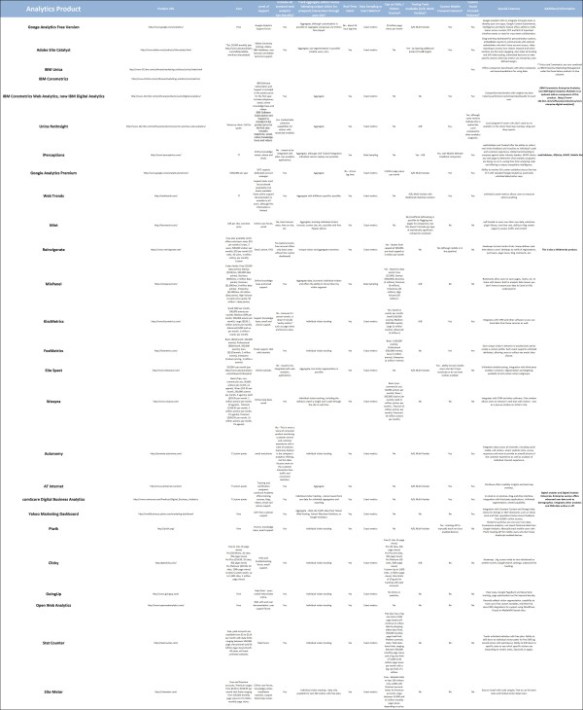
25 Alternatives to Google Analytics – Stephen’s Lighthouse


For the full article see 25 Alternatives to Google Analytics – Stephen’s Lighthouse.

25 Alternatives to Google Analytics

Build a Digital Family Tree With These 5 Tools | Mashable


Build a Digital Family Tree With These 5 Tools | Mashable

The article reviews:

  1. FamilySearch.org
  2. Treelines
  3. Family Village
  4. Grave Sites – Billiongraves.com, Findgrave.com and Legacy.com
  5. Digitized Newspapers

There is also a tool called Family Echo, which is free but very basic and another one called MyHeritage, also free but with more features including sharing and a collaborative tool called Geni.

Top 5 Sites for Online Learning | Information Space


Top 5 Sites for Online Learning  | Information Space

The 5 sites discussed are:

  1. Khan Academy
  2. Skillshare
  3. Codeacademy
  4. Lynda.com
  5. EdX

Online Personal Libraries and Book Social Media Sites | Dear Author


Online Personal Libraries and Book Social Media Sites | Dear Author

Reviews:

  1. LibraryThing
  2. Riffle
  3. Bookish
  4. Storyverse
  5. Get Glue
  6. Bookvibe

Inside the Internet Archive’s Real-World Home | Mashable


The Internet Archive is a massive, ambitious effort to digitize the full spectrum of human knowledge. A documentary from Deepspeed Media goes inside the archive to reveal what that looks like in practice. See the full article here: Inside the Internet Archive’s Real-World Home | Mashable.