
Power Tools | Roy Tennant – The Digital Shift


Excerpt of article content specific to libraries:

Tools in a digital library context often provide similar benefits, although they tend to be different in nature. I would say that a basic tool for any digital librarian is likely a computer running a LAMP stack:

L = Linux
A = Apache web server
M = MySQL
P = A “P” programming language such as Perl or Python

With that, there is very little you can’t do. Well, that is, once you install the dependencies of whatever else you’re wanting to run. But you get the idea. It’s a basic platform from which much else is made possible. It’s an essential tool set.

Some of the other digital library tools in my repertoire include:

Swish-e – I’ve used this indexing software since the mid-90s, and haven’t seen a reason to change. With it, I’ve set up and maintained a variety of web sites that function as if they are database-supported but in fact are simply flat XML files that are indexed using Swish-e (see, for example, FreeLargePhotos.com).

XSLTProc – Sure, there are many options for XML processing out there and I won’t attempt to defend this particular decision except to say that it is easy to use and does what I need it to do (process XSLT stylesheets against specified XML files). Again, it underpins a number of my web sites.

Nano – You can stop laughing now. Seriously. Stop laughing. I mean it. Nano is a simple text editor (before it was Pico, which was what the PINE linemode email system used for message editing). I use it to do simple editing tasks in text files and programs on the server. I know it isn’t nearly as cool emacs, or even vi, but hey, it’s what I’m used to.

Tools are power. They give you capabilities you would not have without them.
via Power Tools | Roy Tennant – The Digital Shift.

Google Translate adds African languages | theguardian.com


Google is planning to add Somali, Igbo, Hausa, Yoruba and Zulu to its list of language options on Google Translate, the search engine giant’s free automatic translation service.

A post published [on August 27, 2013] on the Google Africa page on Google+ called on users to evaluate the translation quality of the five languages. After assessing passages that are translated into English and vice versa, users can rate them as Excellent, Good, Fair or Poor.

via Google Translate adds African languages | World news | theguardian.com.

Do-It-Yourself GIS: 20 Free Tools & Data Sources for Creating Data Maps | Ellyssa Kroski – OEDB.org


The world of mapping and presenting data sets through geographical representations is no longer relegated to GIS librarians and highly trained technologists. New free and open source applications now make it possible to create complex and robust data visualizations in the form of maps that display statistics and poll results. Here’s a guide to 20 free applications and data sources.

via Do-It-Yourself GIS: 20 Free Tools & Data Sources for Creating Data Maps | Ellyssa Kroski – OEDB.org.

There are 6 data visualization tools listed and 14 sources for GIS mapping data.

Also see my list of Interactive Mapping Resources on The Modern MLIS. I have categorized resources as either digital libraries, visualization tools or stargazing maps. There is only a little overlap with Ellyssa’s list.

You may also like:  Ten Places to Find and Create Data Visualizations | FreeTech4Teachers

35 Powerful Cloud Tools for Modern Librarians | Stephen’s Lighthouse


“These tools work as an alternative to Microsoft’s expensive Office Suite. Choose from the products below to save money on expensive software licensing while also keeping software current with more frequent updates. These Cloud apps may also integrate with automation services (see below) for increased productivity and efficiency.”

35 Powerful Cloud Tools for Modern Librarians | Stephen’s Lighthouse.

Collection of Links: Resources, Tools & Tech for New LIS/iSchool Students


The ToolsResources pages on The Modern MLIS

Archived MLIS and GTA Technology Topics, Tips & Tricks posts on The Modern MLIS

13 Devices College Students Actually Need | Stephen’s Lighthouse – August 2013

25 Apps You’ll Need to Survive College | Mashable – August 2013

10 Apps for Freshman Year of College | Mashable – August 2013

Your Very First Library Student Business Cards | Hack Library School – July 2013

11 Convenient Sites for Cheap Textbooks | Mashable – July 2013

23 Things for SLIS Students and Alumni: Essential Tools for Professional Success | SJSU.edu

Tech Tools for LIS Students {Starter Kit} | Hack Library School – September 2012

My Top 5 Apps for Back to School | Information Space – August 2012

14 Fantastic Free Tools for Design Collaboration | Mashable


There’s a wealth of excellent collaboration tools to make it easier to get feedback and approve artwork in a timely, professional manner. For freelancers or small agencies on a tight budget, these free tools can make sharing design concepts in real time a breeze, without breaking the bank. via 14 Fantastic Free Tools for Design Collaboration | Mashable

The 14 tools reviewed are:

  1. Red Pen
  2. Bounce
  3. Flatsies
  4. Prevue
  5. Marqueed
  6. GoVisually
  7. Invision App
  8. Design Drop
  9. Framebench
  10. Concept Inbox
  11. Skwibl
  12. EasyProof
  13. Apollo
  14. Redmark

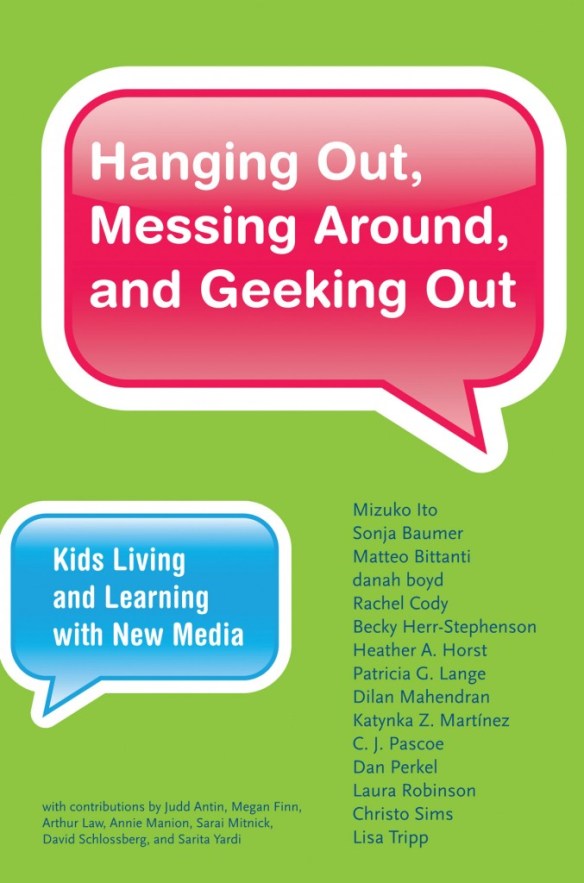
Free e-book: Hanging Out, Messing Around, Geeking Out| Tame The Web


Free e-book: Hanging Out, Messing Around, Geeking Out | Tame The Web

Full title: Hanging Out, Messing Around, Geeking Out: Kids Living and Learning New Media.

From the series forward: This book series is founded upon the working hypothesis that those immersed in new digital tools and networks are engaged in an unprecedented exploration of language, games, social interaction, problem solving, and self-directed activity that leads to diverse forms of learning. These diverse forms of learning are reflected in expressions of identity, how individuals express independence and creativity, and in their ability to learn, exercise judgment, and think systematically.

Direct link to the pdf here.

Hanging Out, Messing Around, Geeking Out

14 Google Tools You Didn’t Know Existed | Mashable


14 Google Tools You Didn’t Know Existed | Mashable

Article reviews:

  1. Google Ngram Viewer
  2. Google Correlate
  3. Google Trends
  4. Google Think Insights
  5. Google Public Data Explorer
  6. Full Value of Mobile
  7. Get Your Business Online
  8. Webmaster Tools
  9. Schemer
  10. Google Fonts
  11. Google Developers
  12. Dart
  13. Google Keep
  14. Google Sky

Google Is Trying To Give The Entire World Internet Access With High-Flying Balloons | Co.Exist


Project Loon will use these solar-powered giant devices hovering 12 miles above the ground to beam down Internet to places where they can’t lay cable.

Google Is Trying To Give The Entire World Internet Access With High-Flying Balloons | Co.Exist: World changing ideas and innovation

See the article for more discussion and videos!!!

Inside the Printing Studio Where Obsolete Tech Will Never Die | Gizmodo


Before computers became the sole progenitors of almost all our visual artifacts, printing was a labor-intensive task that involved applying incredible pressure to inked blocks using machines weighing thousands of pounds. At the Common Press, in the basement of the University of Pennsylvania’s Fine Arts Building, artists are still using this outdated technology—right down to ink from the same company Ben Franklin used.

via Inside the Printing Studio Where Obsolete Tech Will Never Die | Gizmodo

You can appreciate how far we have come by reviewing the past. Its great the printing press art form is being preserved and still in use today. Along with presses, typefaces are a hobby of many, including Pope Francis I, and there are often announcements of the creation of new fonts such as in the very unique case of the DNA font by Harvard scientists.

You may also like: